
Making a Webcomic Panel with Corel Painter
Here's my lame art process.

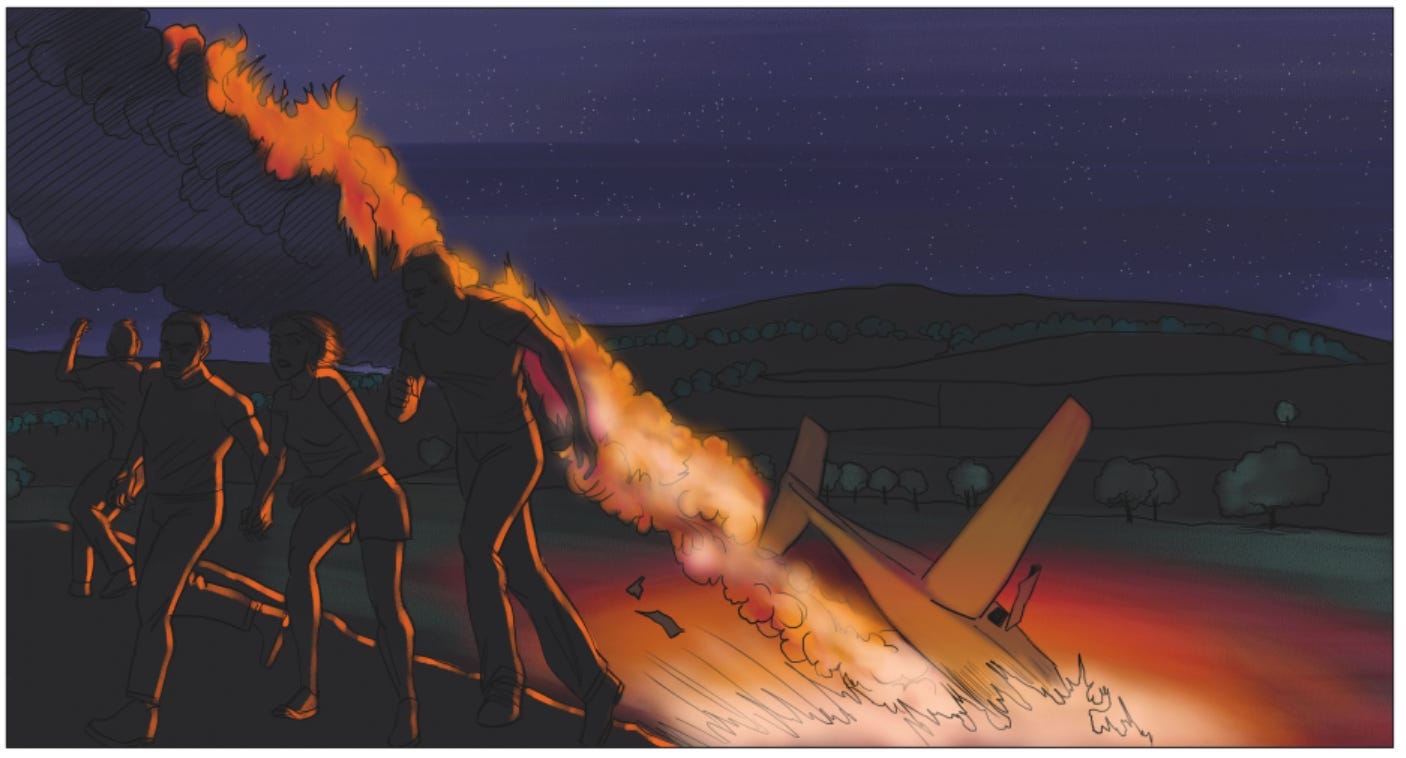
I have a box full of sketchbooks from the days I used traditional tools to sketch out my comic pages. Now, I still think this is the way to go. For 1000 Years of War, however, I didn’t have the time or a good work station to “do it right.” I was juggling my kids and several other kids, some of whom enjoyed scribbling in places where they shouldn’t, so I had to whip out pages as quickly as possible during their afternoon screen time.
All my art is made in Corel Painter, because that’s what I learned to use and I am incapable of change. Maybe there are better products out there, but whenever I try to use something else, I just wind up frustrated that it doesn’t work like Corel does.
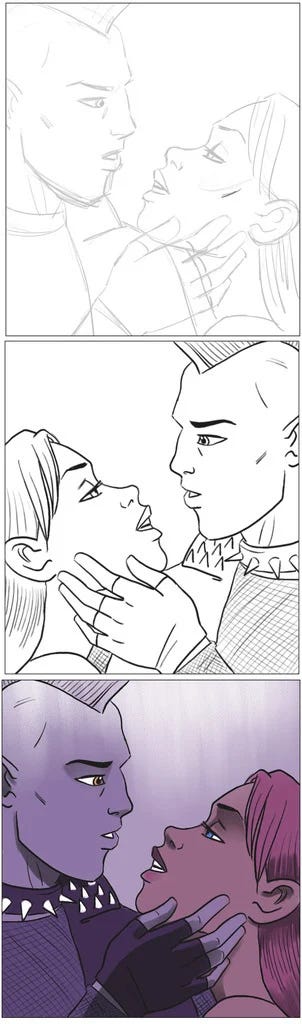
Here you can see that my “sketch” is just a transparent digital layer. I horizontally flipped the image (to help me hopefully spot areas that looked odd) and traced it with an “ink” layer. I then flipped it back where I wanted it. Most coloring and shading was done with the “flat color” tool, but I used a transparent layer to add lighting with the “dull conte” tool.
Here’s that same process in more detail.
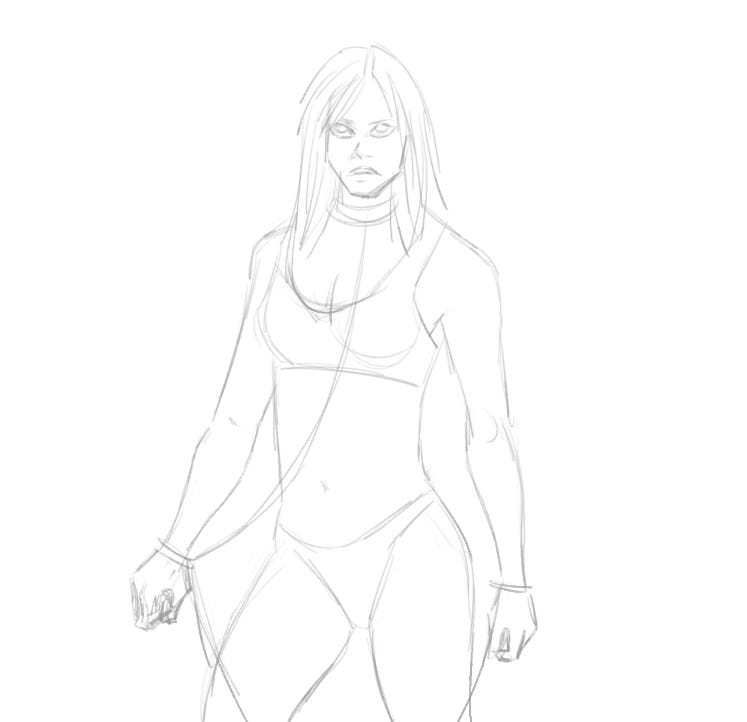
I am sadly very dependent on an internet connection to do work like this. Much time is spent searching for the right photo reference to make sure my anatomy doesn’t come out wonky. A figure drawing class would probably be a good idea.
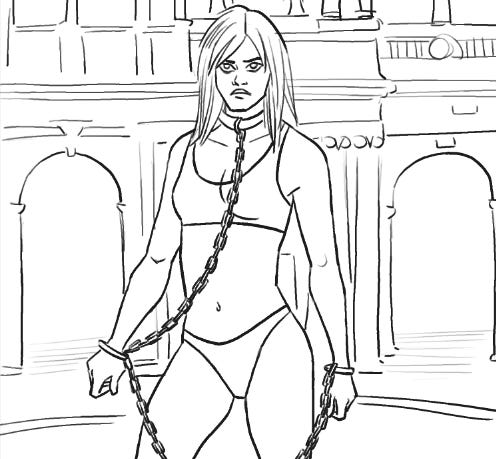
Here is the ink layer with some background details. When drawing, it’s fastest to start with the foreground before doing the background. When coloring, the reverse is true.
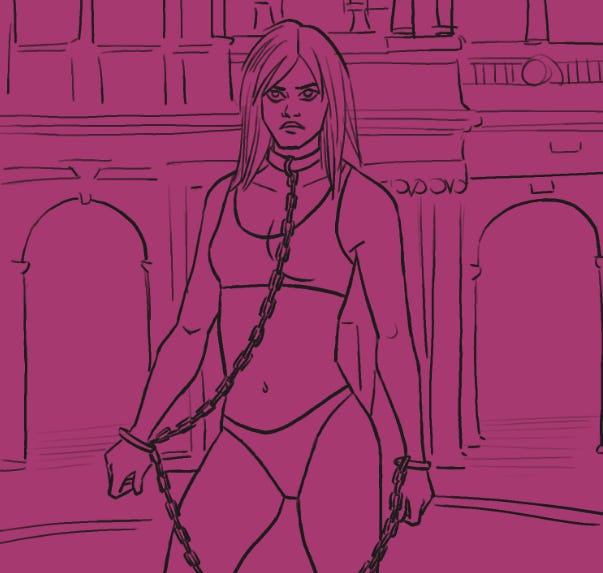
Once inks are done, use the fill tool to give the entire canvas one uniform background color.

I then color over the canvas, under the inks. It looks like I used a dull conte tool this time, but didn’t use it to add texture like I usually do.

Another layer of black, semi-transparent, adds shadow. A talented friend tells me I need to turn up the contrast, always turn up the contrast!
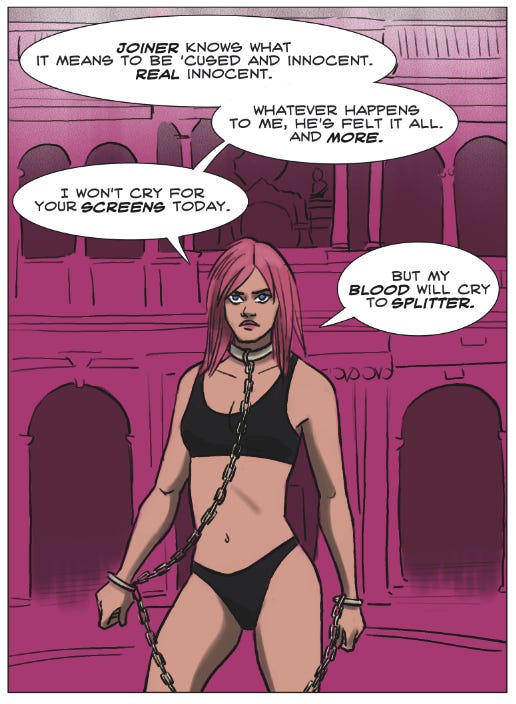
Speech bubbles are usually the final step (although sometimes it helps to plan out the text before you draw all the art it’s going to obscure). After centering the text, I use the shape tool to make the bubbles underneath the text and merge them together. I then use the quick curve pen tool to draw the little tails on the speech bubbles.
The Reviews are in!
“Amazing.” —McGrenivan
“It’s a must-read… Can’t wait for more!” —Toorambunctious
“…Reminiscent of Henry and Wendy Pini… More Fallout than the Fallout TV show, and I am enjoying it.” —Michael Brent Talpas
“…1000 Years of War makes one wonder what one would do in the apocalypse… takes us on a wild trip through this dystopian world… highlights how depraved man can be… 1000 Years of War shows me that light can be found in the shadows even when humanity is at its lowest point.” —Syd, Attack+1
“INTENSE!!! …Dark, driven, survival oriented… Hannah weaves the potency and starkness of history into this modern creation… Incredible: carefully crafted in minute detail, pouring with deep emotion and vibrant color! The drawings alone are worthy of a studied look.” —Wendy E. Williams (no relation!)
“I’ve been fascinated by the Joan of Arc story for a long time and I love how Hannah Rose Williams took the story points and made them her own. I also like how she balanced the ideas in the story. Check it out…” —Barhan Decapre
“…Makes you think things are possible… 1000 Years of War is a graphic novel for young adults, sure, but there is something in this well-crafted and sometimes funny post-apocalyptic tale for everyone that may bring a bit of hope back to people’s hearts.” —Shawn Saint
“She may be a virgin, but she’s here to f-- you up! … I’m very sure your art style would be rejected from modern gaming. This is a compliment.” —The Doge Patriarch
“…Fun… More political than most I see, but I like the politics of it.” —Jessi L. Roberts
“…Reminds me of the movie Idiocracy… Very professional!” —Snow Martingale
“Great work as always! I recommend it to others!” —Jerrie
“Most excellent.” —Simon Tanner
“Incredible work.” —Ian Nolan
I loved Corel Painter, but my disc disappeared during a move, and Corel absolutely does not let you replace an old version. So I had to go to Clip, which I could, you know, actually afford to buy.
Long time Corel Painter user here. I always get it from HumbleBundle.com when they offer it, and right now it’s available for the next 8 days. It’s usually a release or two behind but at such a ridiculous discount.
https://www.humblebundle.com/software/design-with-coreldraw-perfect-with-ai-software-encore?hmb_source=&hmb_medium=product_tile&hmb_campaign=mosaic_section_1_layout_index_3_layout_type_threes_tile_index_2_c_designwithcoreldrawperfectwithaiencore_softwarebundle
Corel Painter 2023 currently $22.07 for the 24-item bundle, or $30 for the full 26-item bundle.
Enjoy!